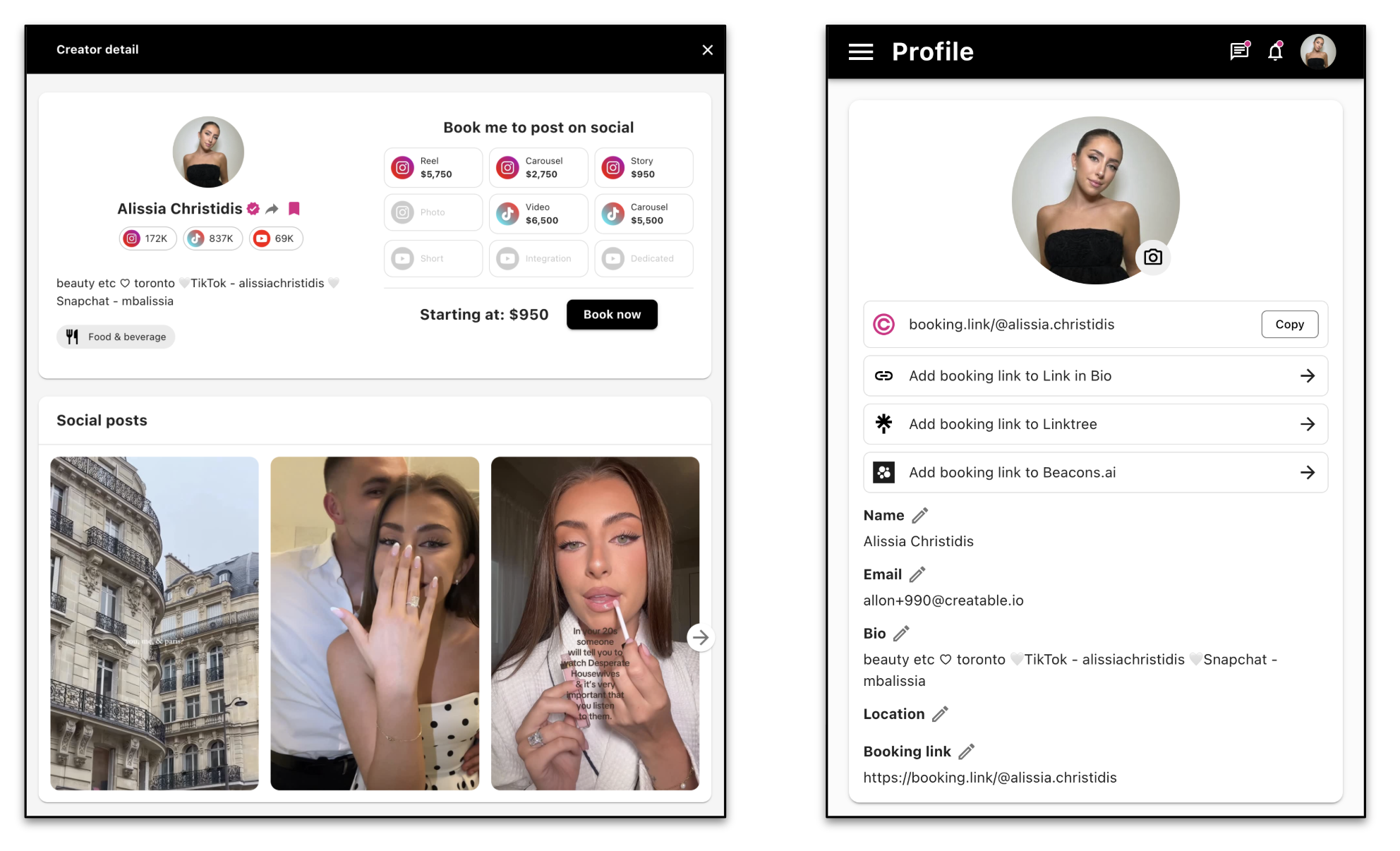
There are 3 ways in which an identified influencer can be added to your account and invited and/or pursued for a booking.
1. Search by Handle or Social URL
In the Influence section of the dashboard, go to Creators and search using the creator’s handle or URL on the relevant social platform. Note that you are always searching per platform.
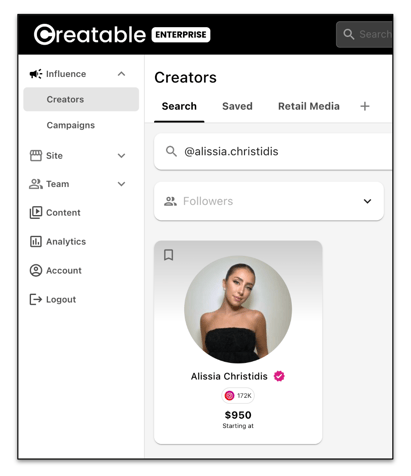
Save the influencer and you can manage them in folders and lists to organize your candidates for program campaigns.
2. Add Manually
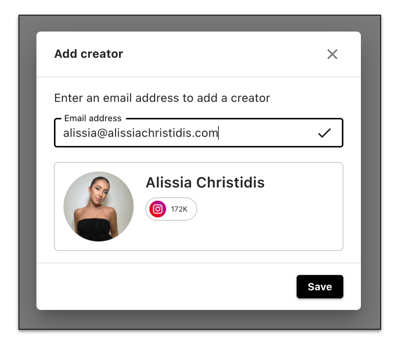
In the Influence section of the dashboard, go to Creators and click "Add creator". You will need basic information, including email, to add an influencer this way.
3. Booking Link
If a known influencer has a Creatable account, you can just ask them to share their public booking link. It can be copied directly out of their profile in their account. You can also direct influencers you want to work with to sign up for Creatable and obtain their booking link. This is a great way to get influencers into your program who are not yet on Creatable as they will be prompted to add their rates and set up their profile, making it easier to evaluate and book them.